What Is a SynthID Remover?
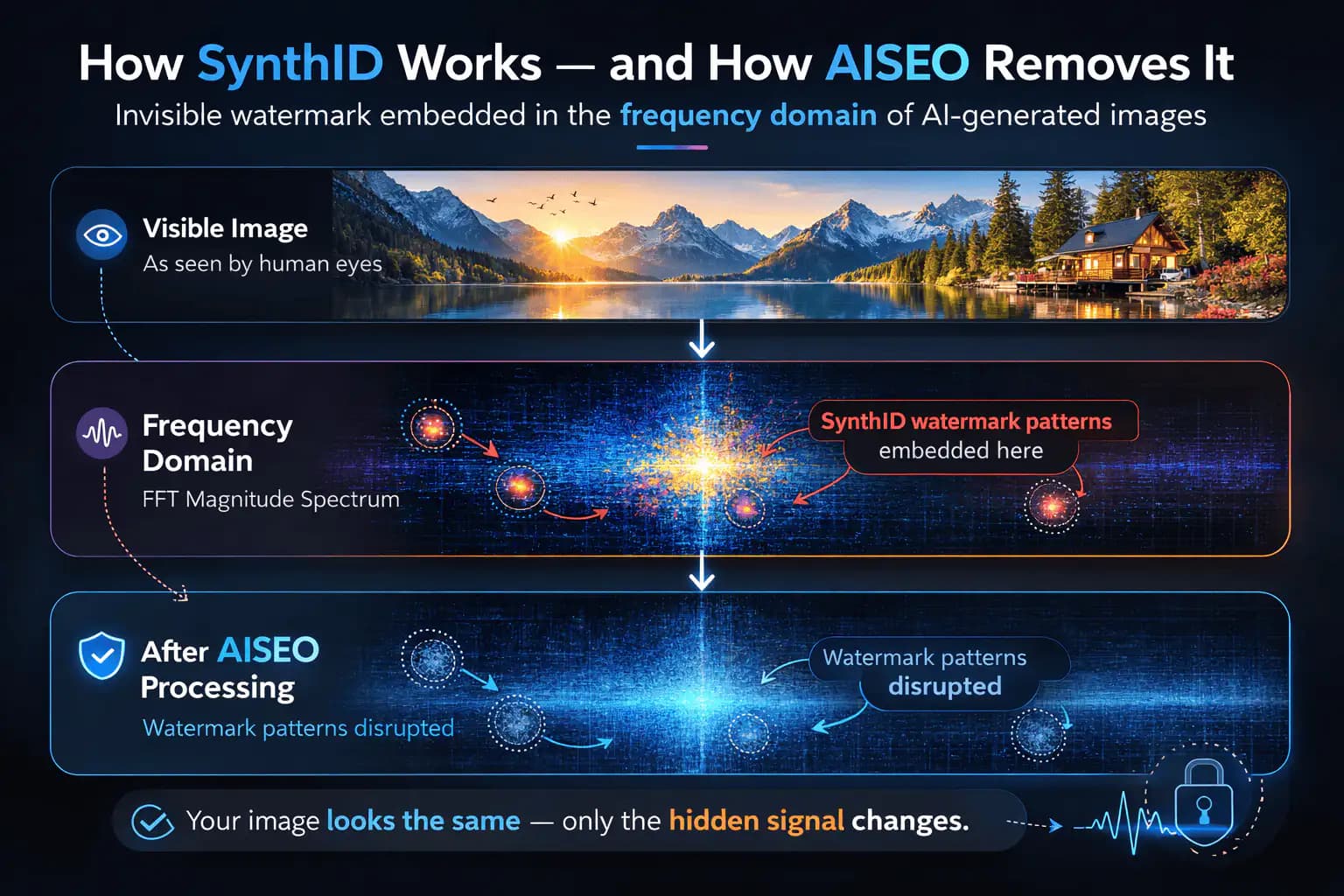
A SynthID Remover is a specialized content-processing tool designed to remove invisible SynthID watermarks from AI-generated images and videos. SynthID is not a visible overlay or removable file tag. It is an embedded identification signal woven into the pixel and frequency structure of the media, making it undetectable to viewers but recognizable to automated systems.
Unlike traditional watermark removers that target visible elements or metadata, a SynthID Remover operates at a deeper level. It focuses on disrupting the underlying patterns used to encode the watermark rather than altering the appearance of the content. This approach allows the watermark to be neutralized while preserving resolution, color accuracy, sharpness, and motion consistency.
The purpose of a SynthID Remover is control. AI-generated media can be automatically identified, labeled, or restricted by platforms when embedded watermarks are detected. This can affect reach, approvals, and how content is categorized. Removing the watermark gives creators and organizations greater control over how their content is distributed and interpreted.
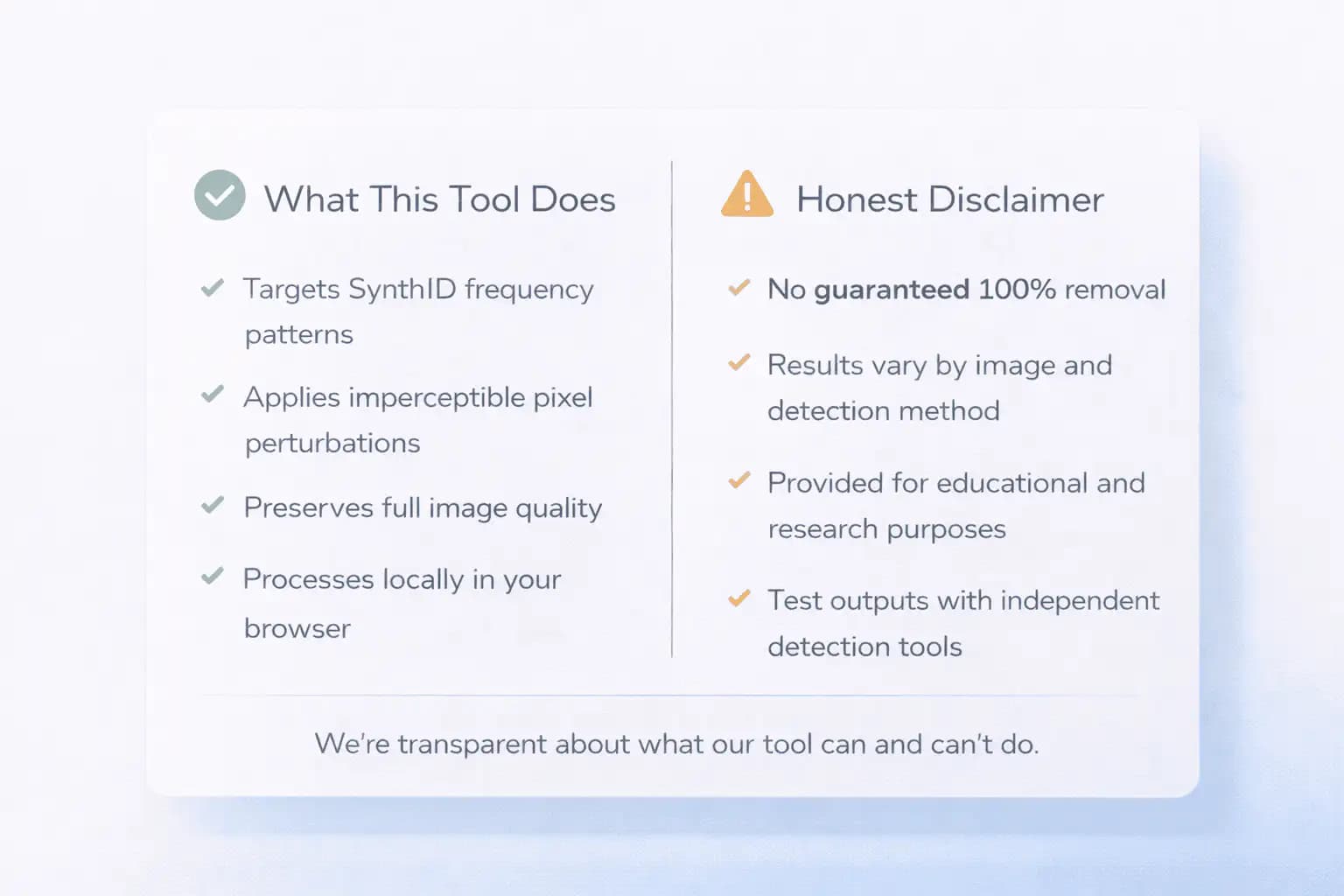
Modern SynthID Removers are built for speed, privacy, and reliability. Processing typically happens locally in the browser, ensuring files are never uploaded or stored externally. The result is clean, watermark-free media that remains visually identical to the original and ready for use across websites, ads, social platforms, and professional workflows.
How AISEO Removes SynthID While Preserving Visual Quality
AISEO SynthID Remover approaches watermark removal at the same depth where SynthID is applied. Instead of targeting visible elements or external data, the tool focuses on disrupting the subtle patterns used to encode the watermark. These adjustments are applied in a controlled and imperceptible manner, ensuring that the identifying signals are altered without affecting the visual appearance of the media.
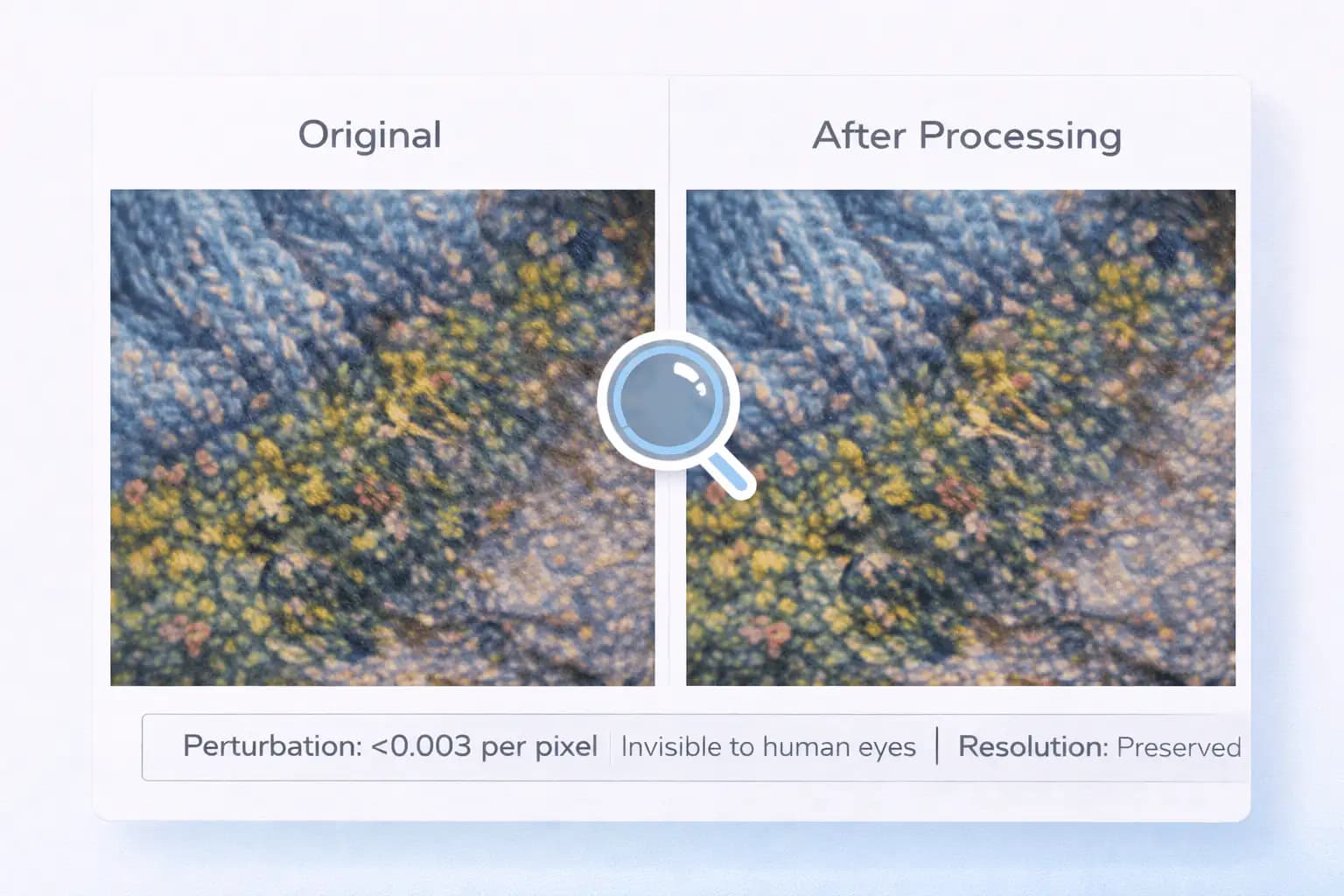
The removal process is designed to preserve all visible characteristics of the original file. Resolution, color accuracy, sharpness, and contrast remain unchanged. For videos, motion consistency and frame integrity are maintained throughout the process. The goal is not to degrade or obscure content, but to neutralize the specific structures that detection systems rely on.
Importantly, AISEO’s approach avoids heavy-handed transformations. Large-scale distortions, aggressive noise injection, or destructive compression can reduce quality and introduce artifacts. Instead, the tool applies fine-grained adjustments that remain invisible to viewers while being effective against watermark detection. This balance allows cleaned media to retain professional-grade quality suitable for publishing and commercial use.
Because processing occurs locally in the browser, results are immediate and predictable. Users maintain full control over their files, and no external systems influence the outcome. The end result is media that looks identical to the original, behaves the same across platforms, but no longer carries detectable SynthID signals.
How SynthID Differs From Other AI Watermarking Systems
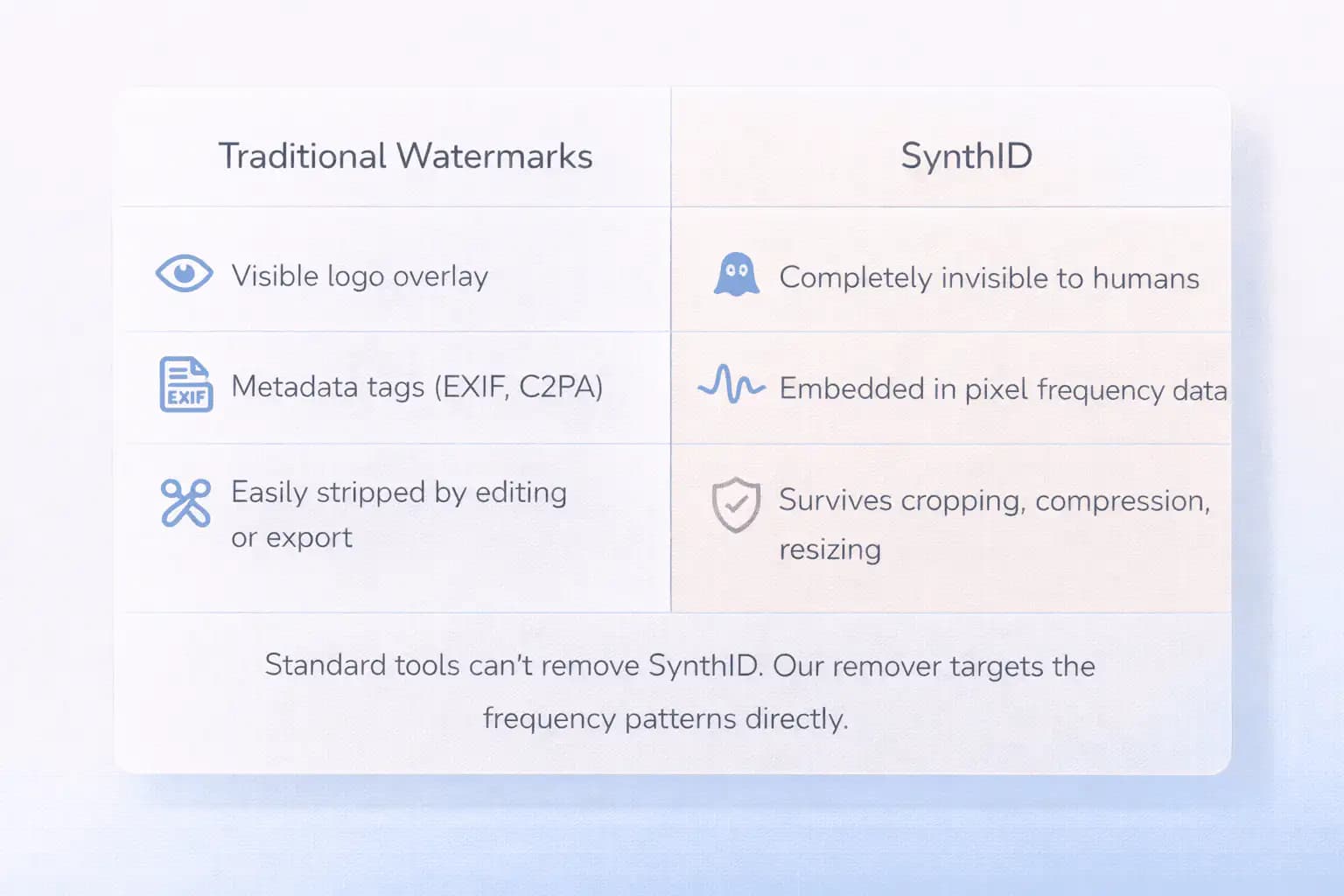
SynthID represents a significant shift in how AI-generated content is identified and tracked. Unlike traditional watermarking systems that rely on visible overlays or removable metadata, SynthID embeds identification signals directly into the underlying structure of images and videos. These signals are woven into pixel-level and frequency-domain patterns, making them invisible to human viewers while remaining detectable by specialized systems. This design allows SynthID to persist even when files are edited, resized, or re-exported.
Most legacy watermarking approaches fall into categories that are comparatively easy to bypass. Visible watermarks can be cropped or masked. Metadata-based systems such as EXIF tags or C2PA manifests exist outside the image data and are often removed automatically during export or compression. SynthID operates differently by becoming part of the content itself rather than an attached layer or label. As a result, common workflows that strip metadata or alter file headers do not affect SynthID’s presence.
This persistence is intentional. SynthID was designed to survive transformations that typically occur during publishing, sharing, and redistribution. Social platforms, ad networks, and content delivery systems often compress or re-encode files, yet the watermark remains detectable after these processes. That durability makes SynthID far more reliable for detection purposes than earlier watermarking methods.
For creators and organizations, this difference matters. Content that appears visually identical may still carry a detectable AI signature long after leaving the original generation tool. Understanding how SynthID differs from other watermarking systems helps explain why specialized removal techniques are required—and why standard editing tools are insufficient.
Limitations, Variability, and Responsible Use
AISEO SynthID Remover is designed to help users manage AI-generated content responsibly, but results may vary depending on multiple factors. Differences in how SynthID is applied, variations in source models, and future updates to detection systems can influence effectiveness. No removal method can guarantee identical outcomes across every possible scenario.
The tool does not claim to bypass all detection mechanisms permanently. As AI watermarking and verification technologies evolve, detection methods may change. Users should view removal as part of a broader content management strategy rather than a one-time solution. Regular evaluation and responsible publishing practices remain important.
It is also important to respect platform policies and applicable regulations when using cleaned media. Some platforms may require disclosure of AI usage regardless of watermark presence. AISEO SynthID Remover is intended to give users control over their own content—not to encourage misuse or misrepresentation.
By being transparent about limitations, AISEO prioritizes trust and long-term reliability. Users can make informed decisions about how and when to use the tool while maintaining ethical and compliant workflows.
Frequently Asked Questions
What is SynthID and why do AI tools embed it into images and videos?
SynthID is Google’s invisible watermark used to label AI-generated media. It helps platforms identify how content was created, even when visuals look fully natural.
How does RemoveSynthID delete invisible watermarks without reducing quality?
Our tool removes the hidden SynthID signature at a pixel level while preserving resolution, color, and sharpness. Your image or video stays visually identical — just watermark-free.
Can RemoveSynthID clean both images and videos?
Yes. The tool supports all major image formats (JPEG, PNG, WebP) and video formats (MP4, WebM, MOV), erasing the SynthID tag from every frame.
Is RemoveSynthID safe to use for sensitive or private media files?
Absolutely. Everything runs locally in your browser, so your files never leave your device. No uploads, no storage, no tracking — complete privacy.
Does RemoveSynthID store or upload my images/videos to the cloud?
No. RemoveSynthID doesn’t send your media to any server. Once cleaning is complete, your files are ready to download and instantly cleared from memory.
Does removing SynthID change how my file looks or behaves?
No. A proper SynthID removal process is designed to preserve the visual and functional integrity of the file. Resolution, color accuracy, sharpness, and aspect ratio remain unchanged. For videos, frame timing and motion consistency are also preserved. The goal is to neutralize the embedded watermark signal without introducing visible artifacts or altering how the file displays or plays across platforms.
Can SynthID be detected again after I edit the cleaned file?
Editing a cleaned file using standard tools does not automatically reintroduce SynthID. However, if the content is passed back through an AI generation or enhancement system that applies watermarking, a new identifier may be embedded. Normal actions such as resizing, cropping, color correction, or compression do not recreate SynthID on their own.
Is a SynthID Remover the same as an AI watermark remover?
Not exactly. Many AI watermark removers focus on visible overlays or removable metadata. A SynthID Remover specifically targets invisible, persistent watermarks embedded at the pixel and frequency level. Because SynthID is designed to survive common transformations, it requires a more specialized approach than traditional watermark removal tools.
Will removing SynthID help with ad approvals?
In some cases, yes. Advertising platforms often use automated systems to classify and review creative assets. AI-detected media may face additional review steps or delivery limitations. Removing embedded SynthID signals can reduce the likelihood of AI-based classification influencing ad review, though final approval still depends on platform policies and creative guidelines.
Does SynthID exist in screenshots or screen recordings?
Screenshots or recordings of AI-generated content may still retain enough of the original signal structure for detection, depending on how they are captured and processed. While some transformations weaken watermark signals, they do not reliably eliminate them. A SynthID Remover provides a more controlled and consistent method than indirect capture techniques.
Can SynthID affect SEO or organic visibility?
Indirectly, yes. While search engines do not publicly disclose how AI signals are used, automated classification systems may influence how content is indexed, labeled, or surfaced. Embedded identifiers can act as signals within broader ranking or moderation frameworks. Removing SynthID helps ensure visuals are evaluated on content quality rather than embedded origin markers.
Is SynthID removal permanent?
Removal applies to the specific file being processed. Once cleaned, that file no longer contains the original embedded watermark. However, if the same content is regenerated or reprocessed through an AI system that applies watermarking, a new SynthID may be embedded. Each generated file should be evaluated independently.
Can I use a SynthID Remover on client or commercial assets?
Yes, many professionals use SynthID Removers as part of commercial workflows. The tool is commonly used for marketing creatives, branded visuals, presentations, and client deliverables. Users should ensure they have the right to edit and distribute the content and follow applicable platform rules regarding AI disclosure.
Does SynthID removal affect file metadata or ownership information?
SynthID removal focuses on the embedded watermark within the media itself, not on external ownership or copyright metadata. File headers, format information, and other standard metadata generally remain unchanged. Ownership rights are determined by creation and licensing, not by the presence or absence of a watermark.
Why is SynthID removal handled locally in the browser?
Local processing ensures privacy, speed, and control. Files never leave the user’s device, which reduces data exposure risks and eliminates upload delays. Browser-based processing also allows immediate results without relying on external servers or queues, making it suitable for both sensitive files and high-volume use.