What is AISEO Humanizer?

How AISEO Humanizer Works
Why AI Detectors Flag AI-Written Content
Why Is It Necessary to Humanize AI Text?
Meet Reader Expectations with Natural, Authentic Writing
Correct the Structural Limitations of AI Writing
Respect Cultural Context and Audience Sensitivity
Increase Engagement and Conversion Through Human Connection
Align Content with Modern Search Expectations
Build Credibility Through Clear, Human-Readable Content
What Can You Do with Our AI Humanizer?
No matter what you create—emails, blogs, or SEO articles— AISEO Humanizer molds to your style. It humanizes AI text effortlessly, turning robotic drafts into authentic, high-quality writing that feels real and connects across every platform.
Humanize AI-Written Content for Publishing
Refine Academic and Educational Writing
Improve SEO Content Without Keyword Loss
Polish Business and Professional Writing
Edit Long-Form Content at Scale
Adapt Tone for Different Audiences
The Smartest AI Humanizer Features That Erase Robotic Tone
100% Original Human Text That Passes Every Plagiarism Test

Say Goodbye to Typos, Grammar Fails, and Awkward Flow

Rank Higher with SEO-Optimized Content That Beats the Algorithm
Humanize Text and Files Seamlessly
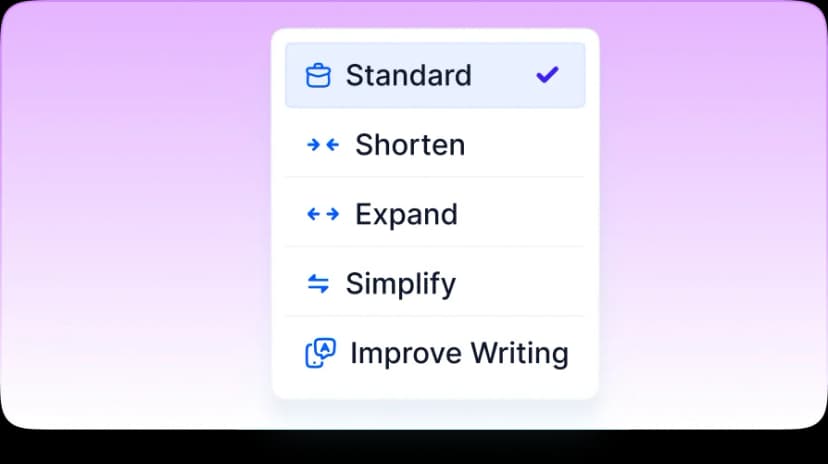
Readability Level Control

Ensure Keyword Relevance and Context Accuracy

Purpose-Based Content Refinement
Persona Personalization
Increase User Trust and Readability Scores

Increase User Trust and Readability Scores

Build Long-Term SEO Authority

Optimize for Voice and Semantic Search

Experience Truly Natural, Human-Refined Writing
Privacy-First and Fully Secure
Reliable Support When You Need It
Built to Strengthen SEO, Not Compromise It
Write With Confidence, Not Fear of Detection
Clear. Human. Ready to Publish.
Frequently Asked Questions
What types of content can I humanize using this tool?
You can humanize a wide range of content types, regardless of length, format, or original source. The tool works effectively on blog posts, long-form articles, landing pages, product descriptions, emails, outreach messages, academic essays, research papers, professional reports, social media captions, and advertising copy. It is equally useful for AI-generated drafts and older human-written content that feels stiff, outdated, or overly formal. Instead of focusing on format, the system focuses on how the text reads, improving flow, clarity, and expression so the content feels natural and intentional to real readers.
Who is this AI Humanizer built for?
This tool is built for anyone who needs writing that feels natural, clear, and human. Students and researchers use it to improve readability while keeping academic intent intact. Content writers and bloggers rely on it to refine AI-assisted drafts before publishing. SEO agencies and marketing teams use it to polish content at scale without sacrificing quality. Educators and institutions use it as a writing clarity aid. Businesses and publishers use it to improve professional communication. The tool adapts to the context, making it suitable for both casual and formal use cases.
When should I humanize AI content in my workflow?
Humanizing AI content works best after the initial draft is complete but before final submission or publishing. Many users generate ideas or drafts using AI, then apply humanization to improve flow, tone, and readability. It is especially useful before submitting academic work, publishing SEO content, delivering client drafts, or sharing professional documents. Using the tool at this stage ensures the content sounds refined and intentional rather than raw or mechanical. It also helps reduce detection risk before running any AI checks or human reviews.
Will humanized content pass AI detection tools?
Humanized content is designed to avoid the structural and linguistic patterns that AI detectors typically flag. Instead of rephrasing sentences mechanically, the tool restructures ideas, varies sentence rhythm, and removes predictable phrasing that often signals AI involvement. While no system can guarantee identical results across all detectors or future updates, the output significantly reduces detection risk by aligning with real human writing behavior. Most importantly, the content reads naturally to human reviewers, which remains the most critical evaluation factor in academic and professional settings.
Does humanizing AI text change the original meaning or message?
No. The humanization process preserves your original meaning, intent, and factual content. The tool does not introduce new ideas, remove key points, or alter conclusions. Instead, it improves how ideas are expressed by refining sentence structure, transitions, and tone. This is particularly important for technical, academic, or professional writing where accuracy matters. The result is clearer, smoother writing that communicates the same message more effectively without distortion.
How does the AI Humanizer work?
The AI Humanizer works by identifying writing patterns that make text feel robotic or artificial. These include repetitive sentence structures, rigid phrasing, unnatural transitions, and flat or emotionless tone. Once detected, the system reconstructs sentences using human-like logic, varied pacing, and contextual understanding. Rather than swapping words, it rewrites ideas at the sentence level to improve coherence and flow. Grammar, readability, and tone are refined together, resulting in writing that feels deliberate, balanced, and naturally human.
How is this different from paraphrasing or spinner tools?
Paraphrasing and spinner tools typically rely on synonym replacement or surface-level rewording. This often preserves robotic structure and can distort meaning or reduce clarity. In contrast, the AI Humanizer focuses on sentence logic, rhythm, and readability. It rebuilds sentences instead of shuffling words. This approach produces writing that feels original, natural, and purposeful rather than rewritten. Because it prioritizes meaning and flow, it is safer for academic, professional, and SEO-focused content than traditional paraphrasing tools.
How long does it take to humanize content?
Most content is humanized within 10 to 15 seconds, depending on length and complexity. You can paste text or upload a file, and the system processes it quickly without sacrificing quality or consistency. Even longer documents are handled efficiently. This speed makes the tool practical for individuals and teams who need high-quality writing without spending hours on manual editing.
Can I edit the humanized content after processing?
Yes. The output remains fully editable, and you retain complete control over the final version. The tool is designed to assist with refinement, not replace human judgment or creativity. Many users review the output, make small adjustments, or tailor wording further to match personal or brand voice. You always own your content and can revise it as needed.
Does this tool replace human editing completely?
No. The AI Humanizer is a powerful writing assistant, not a replacement for human expertise. It significantly reduces editing time by improving flow, clarity, and tone, but subject-matter accuracy, strategic decisions, and final judgment still benefit from human review. For best results, the tool should be used as part of a writing workflow rather than as a substitute for thoughtful editing.
Can I humanize long-form or technical content?
Yes. The tool is designed to handle long-form documents such as ebooks, whitepapers, research reports, and technical documentation. It understands professional and academic context, allowing it to improve readability without oversimplifying complex ideas. Terminology and meaning remain intact while sentence flow and clarity improve, making the content easier to read and more engaging without losing precision.
Does humanized content remain plagiarism-free?
Yes. The tool generates original sentence structures based on your input and does not copy from external sources. It rewrites content using unique phrasing and structure, helping maintain originality. However, users are still responsible for proper citations when working with academic or research-based material. Humanization improves expression but does not replace citation requirements.
Does the AI Humanizer retain formatting?
Yes. Basic formatting such as bold text, italics, bullet points, numbered lists, and paragraph structure is preserved. This allows you to maintain organization and layout across blogs, reports, presentations, and documents without needing to reformat after processing.
Can I upload files instead of pasting text?
Yes. You can upload files in formats such as .txt, .docx, and .pdf. The system processes the content and returns a humanized version that you can review, edit, or download. This is especially useful for longer documents or structured files where copying and pasting would be inconvenient.
Is my data safe when I upload content?
Yes. Uploaded content is processed securely and temporarily. Once processing is complete, all text and files are automatically deleted. Nothing is stored, reused, or shared. This makes the tool suitable for confidential drafts, academic work, business documents, and client materials.
Does this work with content from any AI writing tool?
Yes. The humanizer works independently of the original AI source. Whether your text comes from a chat-based assistant, document generator, or automated writing platform, it can be humanized without compatibility issues. The system evaluates the text itself, not the tool that created it.
Can this help with SEO without keyword stuffing?
Yes. The tool preserves important keywords and search intent while improving readability. Instead of forcing repetition, it integrates keywords naturally into smoother sentence structures. This helps content perform better for search engines while remaining enjoyable for readers, supporting SEO goals without compromising quality.
Can educators or institutions use this tool?
Yes. Educators and institutions can use the tool as a writing clarity and revision aid. It helps improve expression, structure, and readability without generating new ideas or altering meaning. When used responsibly, it supports learning, editing, and communication rather than replacing original thought or academic effort.
Does humanizing content affect citations or references?
No. Citations, references, and quoted material remain unchanged. The tool does not add, remove, or modify sources. Users should continue to follow academic or professional citation guidelines. Humanization focuses on sentence flow and clarity around cited material, not the citations themselves.
What does the AI Humanizer not do?
The AI Humanizer does not invent facts, add citations, change conclusions, or guarantee academic or institutional approval. It does not bypass policies or replace ethical responsibility. Its purpose is to improve how content reads, not to manipulate meaning or outcomes. Understanding these boundaries helps users apply the tool responsibly and effectively.
How can I get the best results when humanizing content?
For best results, start with a clean draft that clearly expresses your ideas. Avoid stacking multiple rewriting tools on the same text. Review the output once and make any final adjustments needed for tone or voice. Keeping original drafts and notes also helps maintain transparency and confidence in your writing process.
Is there a free version available?
Yes. A free humanize option is available so users can test the tool's quality and usability before committing to extended use. This allows you to evaluate tone improvement, readability, and workflow fit without upfront commitment.
Can I use the AI Humanizer for collaborative or team-based writing?
Yes. The AI Humanizer works well in collaborative writing environments where multiple contributors are involved. Teams often struggle with inconsistent tone, uneven sentence structure, or mixed writing styles across drafts. Humanization helps unify the final output so it reads as if written by a single, coherent voice. This is especially useful for agencies, editorial teams, and academic group projects. Each contributor can draft independently, and the humanizer can be applied at the final stage to smooth transitions, improve flow, and ensure consistency without erasing individual ideas or contributions.
Does humanizing content affect author voice or personal writing style?
The humanizer refines clarity and flow without imposing a fixed or generic voice. Instead of forcing all content into the same tone, it adapts to the style already present in your text. If your writing is conversational, it remains conversational. If it is formal or academic, that tone is preserved. The tool improves expression rather than overwriting personality. This makes it suitable for personal blogs, branded content, and professional writing where maintaining a recognizable voice is important.
Can this tool help non-native English writers?
Yes. Non-native English writers often produce content that is technically correct but sounds unnatural or overly formal. The AI Humanizer helps smooth sentence structure, improve phrasing, and adjust rhythm so the writing reads naturally to fluent speakers. Importantly, it does this without changing meaning or simplifying ideas. This makes it useful for international students, professionals, and creators who want their writing to sound confident, clear, and natural while still reflecting their original intent.
Will humanizing content make it sound less professional?
No. Humanization does not mean casualizing or informalizing content by default. The tool adjusts tone based on context. Professional, academic, or technical content remains professional, but becomes clearer and more readable. Humanization removes stiffness, awkward phrasing, and mechanical transitions without reducing credibility. This balance is especially valuable for business communication, reports, proposals, and formal publications where clarity matters as much as authority.
Can I use the AI Humanizer before or after grammar checking tools?
The best results usually come from applying humanization before final grammar checks. Humanization improves sentence logic, flow, and structure, while grammar tools focus on surface-level correctness. If grammar tools are used first, the humanizer can still work effectively, but running grammar checks after humanization ensures the final version is both natural and technically clean. The key is to avoid running multiple rewriting tools repeatedly, which can flatten tone and reduce clarity.
Does the AI Humanizer work for creative writing?
Yes, but with intention. The tool can improve readability and flow in creative writing such as short stories, scripts, or narrative pieces, especially if the original draft feels stiff or over-structured. However, creative writing often benefits from deliberate stylistic choices, so users should review the output carefully. The humanizer helps remove mechanical phrasing while leaving room for personal voice, imagery, and narrative control.
Can humanizing content help reduce reader fatigue?
Yes. One of the most overlooked benefits of humanization is improved reading comfort. AI-generated or overly edited text often follows rigid rhythms that tire readers quickly. Humanization introduces variation in sentence length, pacing, and transitions, making content easier to read over long stretches. This is especially valuable for long-form articles, guides, and educational material where engagement and comprehension matter.
Is it necessary to humanize every piece of AI-generated content?
No. Not all AI-generated content needs humanization. Short internal notes, brainstorming drafts, or rough outlines may not require refinement. Humanization is most valuable when content will be read by others, evaluated academically, published publicly, or used professionally. Knowing when to apply the tool helps maintain efficiency and prevents unnecessary processing.
How should I review content after humanization?
After humanization, review the content for factual accuracy, tone alignment, and intent. The tool improves language and flow, but users remain responsible for correctness and final decisions. A quick read-through is usually sufficient to ensure the content matches your expectations and purpose. This final review step reinforces ethical and professional use.